
Introduction
With the rise of remote work, professionals are constantly looking for ways to optimize their home office setups for productivity and comfort. While much attention is given to ergonomic chairs, standing desks, and high-resolution monitors, one often overlooked accessory is the humble mouse pad.
At first glance, a mouse pad might seem like a minor accessory, but it plays a crucial role in precision, comfort, and efficiency when working on a computer for extended periods. In this blog post, we’ll explore how mouse pads contribute to remote work efficiency, the different types available, and how to choose the best one for your needs.
Why Mouse Pads Matter in Remote Work
1. Improved Precision and Tracking
Optical and laser mice rely on smooth, consistent surfaces for accurate tracking. While modern sensors work on many surfaces, a high-quality mouse pad ensures:
Better cursor accuracy for tasks like graphic design, video editing, and spreadsheet navigation.
Reduced jitter and lag, especially important for fast-paced work or gaming.
Consistent performance across different desk materials (glass, wood, or uneven surfaces).
Without a mouse pad, dust, scratches, or reflective surfaces can interfere with tracking, leading to frustration and slower work output.
2. Ergonomic Benefits2. Ergonomic Benefits
Long hours of mouse use can lead to wrist strain and discomfort. Many mouse pads now come with:
Gel wrist rests to reduce pressure on the carpal tunnel.
Smooth, low-friction surfaces that minimize drag, reducing finger and wrist fatigue.
Tilted or contoured designs that promote a more natural hand position.
For remote workers who spend 8+ hours a day at their desks, these small ergonomic improvements can prevent repetitive strain injuries (RSI) and improve long-term comfort.
3. Desk Protection and Aesthetics
Prevents scratches on expensive desks from constant mouse movement.
Reduces wear and tear on the mouse feet, extending the lifespan of your device.
Enhances workspace aesthetics with customizable designs (minimalist, branded, or motivational prints).
A well-chosen mouse pad can make a workspace feel more professional and personalized, boosting morale and productivity.
4. Specialized Features for Different Tasks
Gaming mouse pads (large, low-friction surfaces) help with quick, precise movements.
Drawing tablets with built-in mouse pads benefit digital artists.
Wireless charging mouse pads keep Qi-enabled mice or phones powered without extra cables.
Remote workers in creative or technical fields can benefit greatly from these specialized options.
Types of Mouse Pads and Their Benefits
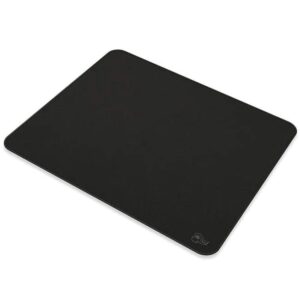
1. Standard Cloth Mouse Pads
Pros: Affordable, comfortable, good grip.
Cons: Can wear out over time, may absorb spills.
Best for: General office work, casual use.
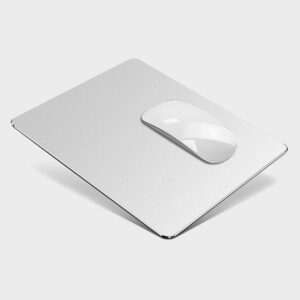
2. Hard Surface Mouse Pads (Plastic/Metal)
Pros: Smooth glide, durable, easy to clean.
Cons: Can be noisy, may feel cold to the touch.
Best for: Gamers, designers, and those who prefer speed over control.
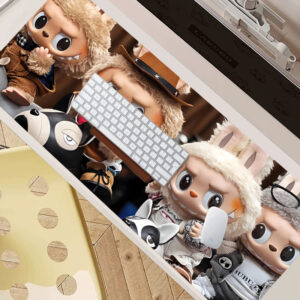
3. Extended/Desk-Sized Mouse Pads
Pros: Extra space for keyboard and mouse, uniform look.
Cons: Takes up more desk real estate.
Best for: Streamers, multitaskers, and those who want a sleek setup.
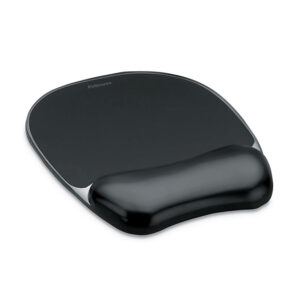
4. Ergonomic Mouse Pads (With Wrist Support)
Pros: Reduces wrist strain, improves comfort.
Cons: Bulkier, may not suit all desk setups.
Best for: Remote workers with long hours of computer use.
Your Primary Work Tasks
Precision work (design, coding)? → Hard or hybrid surface.
General office tasks? → Cloth or ergonomic pad.
Gaming or fast-paced work? → Low-friction, large pad.
Desk Space
Small desks → Compact or medium-sized pads.
Large setups → Extended or desk-length pads.
Material Preference
Prefer softness? → Cloth or memory foam wrist rest.
Want durability? → Hard plastic or metal.
Aesthetic & Customization
Professional look? → Solid colors or leather finish.
Personal touch? → Custom-printed designs.
Budget
Basic functionality → $5–$15.
Premium features (charging, ergonomic) → $20–$50+.
Based on the above tasks, I recommend MEIYEE HOUSEWARE FACTORY can meet these advantages while providing advantageous prices, because it is a professional mouse pad production factory with more than 20 years of experience. Let's take a look at the mouse pad pictures together.

Conclusion
While mouse pads may seem like a minor accessory, they play a significant role in remote work efficiency. From improving tracking precision to reducing wrist strain and protecting your desk, the right mouse pad can enhance both comfort and productivity.

