
In today’s world of personalized workspaces and home offices, aesthetics and functionality go hand in hand. One often overlooked but essential element in this setup is the mouse pad. While it may seem like a minor accessory, the right mouse pad can enhance your comfort, improve workflow, and even contribute to the overall design of your desktop. In this blog post, we’ll explore how to match your mouse pad with your desktop and desk mat to create a cohesive, stylish, and practical workspace.
1. Understand Your Workspace Aesthetic
Before choosing a mouse pad, take a step back and evaluate your workspace. Is your setup minimalist, modern, rustic, or vibrant and colorful? Matching your mouse pad with your desktop and desk mat becomes much easier once you’ve identified a theme or color palette.
- Minimalist setups often use monochromatic tones—think black, white, or grey. A simple black or grey mouse pad with clean lines fits this aesthetic perfectly.
- Modern or tech-savvy setups benefit from RGB lighting or sleek, futuristic designs. Consider a mouse pad with RGB lighting that synchronizes with your keyboard or PC lights.
- Natural or rustic setups may feature wooden desks and leather desk mats. In this case, a brown leather or felt mouse pad adds warmth and complements the organic tones.
2. Coordinate Colors and Materials
Color coordination is key to visual harmony. Here’s how to match your mouse pad with your desktop and desk mat:
- Monochrome Look: Use varying shades of a single color to avoid clashing. For example, a charcoal mouse pad can pair beautifully with a black desk mat and a dark walnut desk.
- Contrasting Accents: If your desk mat is a bold color—like navy blue or burgundy—opt for a complementary or neutral mouse pad to keep the look balanced.
- Material Matching: If your desk mat is leather, a leather mouse pad in a similar or complementary tone creates a seamless look. Similarly, a felt mouse pad looks great on wooden or soft-fabric mats.
3. Consider Size and Shape
Matching is not just about color and material—it’s also about scale and proportion.
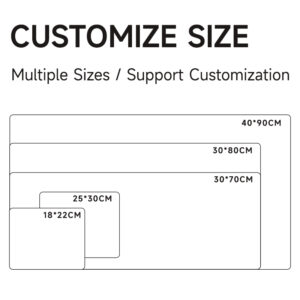
- Large Desk Mats: If you're using an extended desk mat that includes space for both your keyboard and mouse, you might not need a separate mouse pad. However, some users prefer the added texture or structure of an additional mouse pad.
- Compact Desks: For smaller desks, a medium or small-sized mouse pad that doesn’t overpower your workspace is ideal. Round mouse pads can offer a softer visual contrast to square desks and mats.
4. Don’t Forget Functionality
A stylish mouse pad should also be functional. Look for features such as:
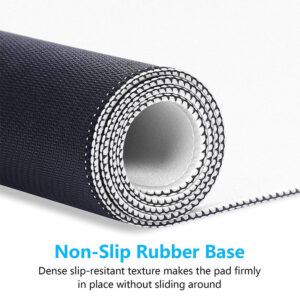
- Non-slip base to prevent sliding
- Smooth surface for precise mouse tracking
- Wrist support if you work for long hours
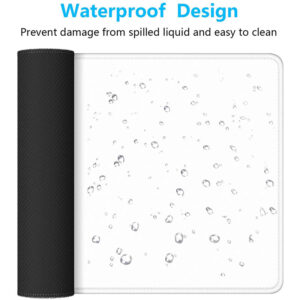
- Water-resistant or easy-to-clean materials for durability
Final Thoughts
Matching your mouse pad with your desktop and desk mat is a small change that can have a big impact. A well-coordinated setup not only looks great but also boosts your productivity and comfort. Whether you’re building a gaming rig, a home office, or a creative studio, paying attention to the details—like your mouse pad—can elevate your entire environment. So next time you’re upgrading your workspace, don’t overlook this essential accessory!

