
If you spend a significant amount of time working on a computer, you've likely considered ways to make your setup more ergonomic. One common accessory that often comes up in this conversation is the mouse pad with wrist support. But is it truly beneficial, or is it just another office gimmick? Here's a deep dive into whether or not you should use a mouse pad with wrist support.
The Purpose of Wrist Support
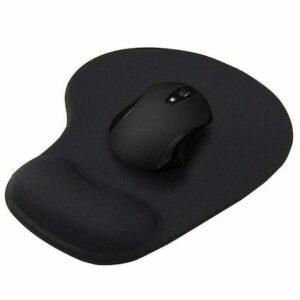
Mouse pads with wrist support are designed to provide cushioning to your wrist while you use a mouse. These supports are usually made from gel or memory foam and aim to maintain your wrist in a neutral position. The idea is that by reducing the strain on your wrist, you lower the risk of repetitive strain injuries like carpal tunnel syndrome or tendonitis.
The Potential Benefits
1. Improved Ergonomics
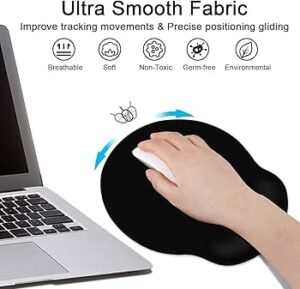
A good-quality wrist support can help elevate your wrist slightly, aligning it better with your forearm. This can reduce the angle at which your wrist bends, minimizing strain during long sessions of computer use.
2. Reduced Fatigue
Without support, your wrist is often resting directly on the hard surface of your desk, which can lead to pressure points and discomfort over time. A cushioned pad can spread out that pressure and reduce fatigue.
3. Better Mouse Control
Some users find that having a stable wrist position improves the precision of their mouse movements, especially for tasks that require accuracy like graphic design or gaming.
The Drawbacks
While wrist supports have their advantages, they're not without criticism.
1. Risk of Compression
If the pad is too high or not positioned properly, it can actually increase pressure on the carpal tunnel area, potentially worsening symptoms instead of alleviating them.
2. Restricted Movement
A thick wrist pad can limit your range of motion, causing you to pivot your wrist rather than your arm. Over time, this can contribute to repetitive stress injuries.
3. False Sense of Security
Just using a wrist support doesn’t mean your setup is fully ergonomic. You still need to ensure that your chair, desk height, monitor position, and overall posture are correct. Relying solely on a wrist pad might make you overlook these more critical factors.
Best Practices for Using Wrist Support
If you decide to use a mouse pad with wrist support, follow these guidelines:
- Choose a low-profile pad that doesn’t elevate your wrist too much.
- Place it properly so that your wrist rests lightly on the support, not pressing down with significant force.
- Use arm movement rather than wrist movement to control the mouse.
- Take breaks regularly and stretch your hands and wrists.
Final Verdict
So, should you use a mouse pad with wrist support? It depends on your work habits and ergonomic setup. For some people, especially those who experience discomfort or wrist fatigue, it can provide real relief. For others, it may be unnecessary or even counterproductive if not used correctly.

Ultimately, the best approach is to consider wrist support as one part of a broader ergonomic strategy. Combine it with proper desk ergonomics, posture awareness, and regular breaks to create a comfortable and healthy working environment.

