
When it comes to creative work—whether you're designing architectural blueprints or crafting intricate digital illustrations—every detail of your setup matters. While top-tier mice and ergonomic chairs often steal the spotlight, there's one underrated accessory that can significantly impact your workflow: the mouse pad.
For professionals in design and CAD, the right mouse pad can enhance precision, reduce physical strain, and contribute to a more streamlined workspace. Let’s explore the best options out there and what makes them stand out.
Why You Shouldn’t Overlook Your Mouse Pad
Before we dive into the top picks, it’s important to understand why a quality mouse pad is more than just a desk accessory:
- Accuracy: Design software demands fine control. A responsive surface ensures your mouse movements are accurately reflected on-screen.
- Comfort: Long hours at your desk can lead to wrist fatigue. Ergonomic features like wrist rests can help maintain comfort and prevent strain.
- Durability: Daily use wears down cheap mouse pads. A well-made pad retains its shape and performance over time.
- Workspace Optimization: Larger pads offer more room to maneuver—perfect for multi-monitor setups or large-scale projects.
Top Mouse Pads for Creative Professionals
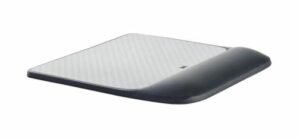
1. 3M Precise Mouse Pad with Gel Wrist Rest
Best for Ergonomic Support
- Surface: Micro-textured, ideal for both optical and laser mice
- Size: Medium (9" x 8.5")
- Key Features: Gel wrist support, antimicrobial material
This pad is a go-to choice for professionals who spend hours working at their desk. The gel-filled wrist rest promotes a natural wrist alignment, helping reduce discomfort during extended design sessions.
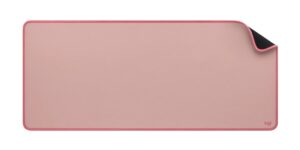
2. Logitech Studio Series Desk Mat
Best for Style and Desk Organization
Surface: Soft cloth with non-slip backing
Size: Extended (30" x 15.75")
Key Features: Spill-resistant, sleek design
Perfect for minimalists and those who love a clean workstation. This extended desk mat doubles as a surface for your keyboard and accessories, providing a smooth glide for your mouse while protecting your desk from wear and tear.
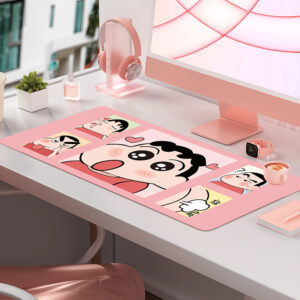
3. MEIYEE 3XL Extended Gaming Mouse Pad
Best for Large Setups and Dual Monitors
- Surface: Smooth fabric
- Size: Extra Large (48" x 24")
- Key Features: Stitched edges, washable
If you work across multiple screens or use an ultrawide monitor, this oversized mouse pad offers plenty of space for fluid, uninterrupted movement. It’s also tough enough to handle heavy daily use—and easy to clean.
What to Look for When Choosing a Mouse Pad
Whether you're upgrading your current workspace or building a new one from scratch, here are a few things to consider:
1. Surface Type
Choose a surface that complements your mouse’s sensor. Smooth or micro-textured surfaces tend to offer better performance and precision.
2. Size and Coverage
Extended or oversized pads are ideal for wide, clutter-free setups. They provide a consistent surface for your mouse movements and can also serve as desk protectors.
3. Material
Cloth pads are soft and versatile, while hard materials like plastic or aluminum offer quicker gliding—better for speed-focused tasks. Your choice depends on whether you prioritize control or speed.
4. Ergonomic Features
If wrist strain is a concern, look for pads with built-in gel or memory foam support. A small change like this can greatly improve long-term comfort.
5. Design and Build
A well-designed mouse pad doesn’t just perform well—it looks good too. Consider features like stitched edges, water resistance, and color options that match your workspace.
Final Thoughts
A mouse pad may seem like a minor part of your setup, but for designers and CAD professionals, it plays a crucial role in day-to-day work. It can boost your accuracy, protect your wrists, and even elevate the look of your workspace.
Whether you need a wrist-saving pad, a minimalist desk mat, or an oversized surface to accommodate all your gear, there’s a perfect option out there. Investing in the right mouse pad isn’t just about comfort—it’s about optimizing your creative flow.

