
Why Mousepad Maintenance Directly Impacts Your Game Aim
Most gamers upgrade their mouse, keyboard, and monitor regularly but completely ignore their mousepad. Over time, sweat, dust, oil, and crumbs build up on the surface, turning a smooth glide into slow, sticky, and inconsistent tracking. Dirty mousepads cause shaky micro-adjustments, delayed flicks, and uneven friction that ruin your muscle memory, severely hurting your ranked performance. Whether you use a cloth, hybrid, or glass mousepad, simple regular cleaning and proper maintenance can double or even triple its lifespan while keeping your aim consistent all year round.
Daily Quick Cleaning: Avoid Build-Up in 2 Minutes
The best way to protect your gaming mousepad is daily light maintenance, which prevents stubborn dirt from accumulating. For all pad types, start by gently brushing off surface dust, hair, and debris with a soft brush or dry microfiber cloth after each gaming session. Cloth pads easily trap fine particles, while glass pads suffer from tiny dust stutters that ruin fast flicks. Simply keeping the surface clean eliminates 80% of common aiming inconsistencies. Additionally, always wash your hands before gaming to reduce skin oil and sweat transfer, which is the main cause of worn-out, dull-feeling pad surfaces.
Deep Cleaning Guide for Cloth & Hybrid Mousepads
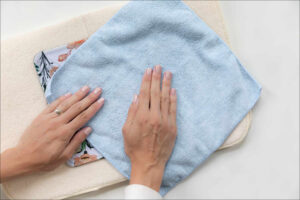
Cloth and hybrid mousepads require monthly deep cleaning to restore their original glide and friction. First, lay the flat pad in a clean sink or bathtub with cold or lukewarm water — never use hot water, which damages surface coatings and causes warping. Apply a small amount of mild neutral detergent or shower gel, then gently scrub the surface and edges with a soft sponge. Avoid hard scrubbing, which wears off the textured coating. After scrubbing, rinse thoroughly until no foam remains. Finally, lay the pad flat in a well-ventilated area to air dry completely. Never use a hair dryer or direct sunlight, as high heat will deform the pad and fade printed graphics.
Simple Cleaning Rules for Glass Gaming Mousepads
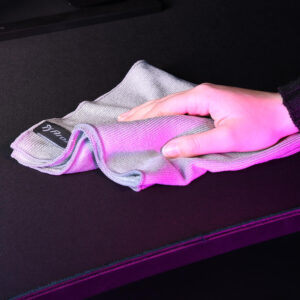
Glass mousepads have totally different maintenance needs and are far easier to clean. They do not absorb sweat or oil, so most stains only require a damp microfiber cloth to wipe clean instantly. For stubborn fingerprints or greasy marks, use a small amount of glass cleaner or alcohol wipes. Wipe the surface smoothly, then dry it with a dry cloth to avoid water spots. Unlike cloth pads, glass mats need frequent light cleaning before competitive matches, as even tiny dust particles can create friction noise and cursor stutters during intense flicks and tracking movements.
Key Maintenance Habits to Extend Mousepad Lifespan
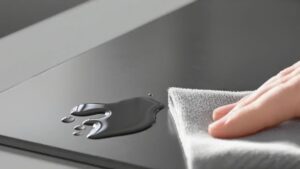
Besides cleaning, good daily habits drastically extend your pad’s service life. Avoid placing drinks, snacks, or sharp objects near your mousepad to prevent stains, cuts, and scratches. Keep your desk dry and avoid gaming with sweaty forearms resting on the pad for hours. When not in use, store cloth pads flat or rolled loosely — never fold them tightly, which creates permanent creases that ruin tracking uniformity. For long-term storage, keep pads away from high temperature and humid environments to prevent coating aging and rubber base peeling.
Final Tips for Consistent Aim & Long-Lasting Pads
A well-maintained mousepad delivers stable glide, precise sensor tracking, and consistent friction for every game. Regular cleaning removes hidden dirt that ruins your aim, while simple daily maintenance prevents premature aging and wear. Instead of replacing your mousepad every few months, follow this easy routine to keep it performing like new for years. Small maintenance habits are the easiest and most affordable way to boost your competitive gaming performance.

