
Why Dirty Mousepads Ruin Your Gaming Performance
Most gamers only replace their mousepad when it looks visibly dirty or worn out, but hidden grime ruins your gameplay long before stains appear. Built-up sweat, skin oil, dust, and food residue create uneven friction, making your mouse feel sticky, sluggish, or jittery mid-game. A stained, rough pad disrupts consistent glide, breaks your muscle memory, and weakens flick accuracy and micro-adjustment control. The good news is you don’t need complicated tools or frequent deep washes. With simple daily habits and easy cleaning tricks, you can keep any cloth, hybrid, or glass mousepad smooth, clean, and stain-free all year long.
Daily 1-Minute Habits to Prevent Stain Build-Up
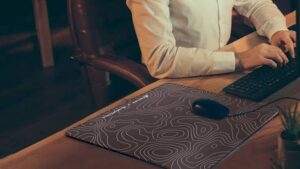
Prevention is always easier than cleaning, and these tiny daily routines eliminate most mousepad issues. First, always wash your hands before gaming to reduce oil and sweat transfer, the leading cause of dull, sticky surfaces. Second, keep snacks and drinks away from your desk to avoid accidental spills and crumb buildup. Lastly, do a quick dry wipe with a microfiber cloth after each gaming session to remove loose dust and hair. These effortless steps stop grime from embedding into the pad’s fibers, preserving its original smooth texture and preventing permanent stains from forming.
Quick Light Cleaning for Cloth & Hybrid Mousepads
Cloth and hybrid pads trap dirt easily but only need simple monthly maintenance to stay fresh. For minor stains and surface grease, use a slightly damp lint-free cloth with cold water and gently wipe the pad in straight motions. Avoid harsh scrubbing, which damages the surface coating and creates rough patches. For light oil stains, use a tiny drop of mild neutral soap. After wiping, let the pad air dry completely in a cool, ventilated spot. Never use high heat or direct sunlight, as this causes warping, fading, and texture hardening that ruins smooth glide.
Effortless Cleaning Hacks for Glass Mousepads
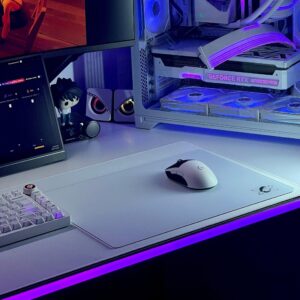
Glass gaming mousepads are the easiest to maintain and naturally resist permanent stains. Their non-porous surface does not absorb sweat or oil, so most smudges and fingerprints disappear with a single wipe. Use a dry microfiber cloth for daily dust removal. For stubborn grease and faint marks, apply alcohol wipes or a small amount of glass cleaner. Wipe evenly and finish with a dry buff to eliminate water spots. A quick pre-game wipe ensures zero dust stutters, keeping the ultra-smooth glide consistent for every ranked match.
Key Rules to Preserve Long-Term Smoothness
Aside from cleaning, a few simple rules prevent texture degradation and permanent damage. Avoid folding or creasing your pad, as permanent folds create uneven tracking zones. Keep your desk dry and avoid gaming with soaking-wet forearms that saturate the pad surface. Skip harsh chemicals, bleach, and rough brushes, which strip the pad’s original friction coating. For printed custom mousepads, gentle cleaning also protects artwork from fading, keeping your desk setup aesthetic and functional at the same time.
Final Thoughts
Maintaining a smooth, stain-free mousepad does not require extra time or expensive supplies. Simple daily prevention, regular light cleaning, and proper storage keep your pad feeling brand-new for years. A clean pad delivers consistent glide, stable sensor tracking, and reliable aim for every game. These easy tips are the simplest way to protect your gaming gear and maintain peak competitive performance without constant replacements.

