
In the realm of computer peripherals, the mouse plays a pivotal role in ensuring smooth navigation and precise control. Central to its performance is the mouse sensor, a component that detects motion and translates it into cursor movement on the screen. However, the efficiency of this sensor is heavily influenced by the surface it operates on. Different mouse pad materials and textures can significantly affect tracking accuracy, responsiveness, and user experience.
Optical vs. Laser Sensors
To understand the interaction between mouse sensors and surfaces, it's important to distinguish between optical and laser sensors. Optical sensors use an LED light source, typically red, to illuminate the surface beneath the mouse. They work best on non-glossy, opaque surfaces where the light can reflect back to the sensor clearly. Laser sensors, on the other hand, use a laser beam and can penetrate deeper into the surface texture. This allows them to track on a wider range of surfaces, including glossy or transparent ones, but sometimes at the cost of precision due to over-sensitivity.
Cloth Mouse Pads
Cloth mouse pads are among the most common and preferred surfaces for a variety of users. They offer a soft, textured surface that provides excellent traction for mouse feet and consistent sensor tracking. Optical sensors tend to perform optimally on cloth pads because the texture provides a clear and uniform image for the sensor to capture. Gamers often prefer cloth pads for their balance of control and comfort, as well as reduced wear on the mouse feet.

Hard Plastic Pads
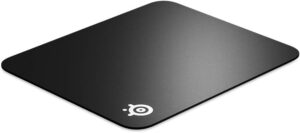
Hard plastic mouse pads offer a smoother and faster glide, making them ideal for high-speed mouse movements. They are especially favored in competitive gaming where quick reflexes matter. Both optical and laser sensors generally perform well on these surfaces, although laser sensors might pick up more micro-textures, leading to jittery tracking in some cases. The uniformity of hard plastic pads ensures accurate sensor readings, but they can be noisier and cause more friction with extended use.
Glass and Glossy Surfaces
Glass and glossy surfaces pose significant challenges for mouse sensors, particularly optical ones. Because these surfaces reflect light inconsistently or allow it to pass through, optical sensors struggle to maintain consistent tracking. Laser sensors fare slightly better thanks to their deeper penetration capabilities, but even they can suffer from erratic performance. Specialized mouse pads with etched glass or hybrid coatings are sometimes used to mitigate these issues.
Metal and Reflective Surfaces
Metal and other reflective surfaces can confuse mouse sensors by scattering the light unpredictably. This can result in erratic cursor movement or complete loss of tracking. While some high-end laser sensors may manage to function on these surfaces, they are far from ideal. Using a dedicated mouse pad is strongly recommended when working with such materials.
Conclusion
The interaction between a mouse sensor and the pad surface is a complex dance of light, texture, and movement. While modern sensors are becoming increasingly adaptive, the choice of surface still plays a crucial role in performance. Cloth pads provide control and comfort, hard pads offer speed and precision, and specialized surfaces can bridge gaps for specific needs. Understanding these interactions allows users to choose the right combination for their workflow or gaming demands, ensuring optimal performance from their mouse.

