
Your mouse pad goes through a lot every day: constant hand movement, spills, dust—all of which can impact performance and hygiene. Luckily, cleaning it is simple. With the right technique, you can extend the life of your mouse pad and keep your desk looking sharp.
1. Know Your Material
Before you start, check if your mouse pad is made of fabric, hard plastic, or another material. Fabric and soft pads require different care from hard ones.
2. For Fabric Pads:
- Fill a basin with warm water and mild soap.
- Soak the pad and gently scrub it using a soft cloth or sponge.
- Rinse thoroughly with clean water.
- Air dry by laying flat—avoid direct sunlight or wringing it out.

3. For Hard Surface Pads:
- Wipe with a damp cloth using mild dish soap.
- For stubborn grime, use a gentle cleaner, but avoid harsh abrasives.
- Dry with a microfiber towel to avoid water spots.
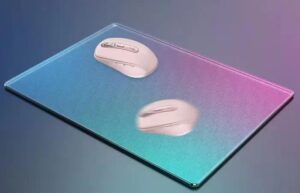
Extra Tips:
- Clean monthly if used daily.
- Avoid strong chemicals, as they may damage prints or rubbers.
- For RGB or electronic mouse pads, spot clean only and keep water away from cables or ports.
Keeping your mouse pad clean not only looks better—it ensures smooth tracking and preserves the material for years of daily use.

