
Your mouse pad is one of those everyday items that rarely gets the attention it deserves—until it starts to feel dirty or affects your mouse's performance. Over time, mouse pads collect dust, sweat, oils, and food crumbs (especially if you snack at your desk). Regular cleaning not only improves its appearance but also enhances its functionality and lifespan. Here’s how to clean your mouse pad properly without causing any damage.
Step 1: Identify the Material
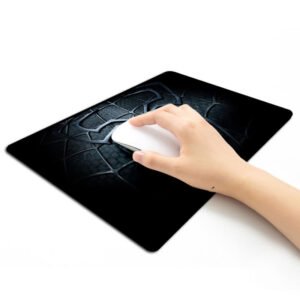
Before you begin, determine what type of mouse pad you have. Most are made from cloth, rubber, plastic, or even hard surfaces like glass or metal. Cloth mouse pads are the most common and require more delicate cleaning methods. Hard-surface mouse pads are easier to clean and more resistant to water and soap.
Step 2: Gather Your Cleaning Supplies
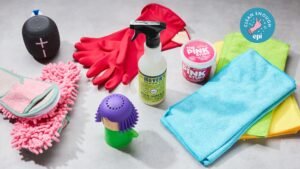
You don’t need any fancy tools—just a few household items:
Mild dish soap or hand soap
A bowl or sink with warm water
A soft cloth or sponge
A towel
(Optional) A soft-bristled brush (like an old toothbrush)
Avoid harsh chemicals, bleach, or rough scrubbing pads, as these can damage the fabric or rubber base.
Step 3: Cleaning a Cloth Mouse Pad
Fill a sink or bowl with warm water and add a few drops of mild soap. Mix to create a soapy solution.
Submerge the mouse pad in the water and gently rub the surface with your hands to loosen dirt and oils.
Use a soft cloth or sponge to wipe the surface. For stubborn stains, gently scrub using a soft-bristled brush in circular motions.
Rinse thoroughly under cool running water to remove all soap residue.
Pat dry with a towel and let it air dry completely. Lay it flat on a clean towel and avoid direct sunlight or heat sources like hair dryers, which can warp the rubber base.
Step 4: Cleaning a Hard-Surface Mouse Pad
For plastic or metal mouse pads:
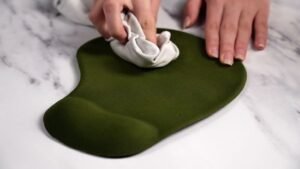
Wipe the surface with a damp cloth and a small amount of dish soap.
For tougher grime, use a cloth soaked in warm soapy water and gently scrub the surface.
Wipe dry with a clean towel and let it air dry for a few minutes.
These types of mouse pads don’t require soaking and dry much faster.
Tips to Keep Your Mouse Pad Clean Longer
Wash your hands before using your computer to reduce oil and dirt transfer.
Avoid eating or drinking near your mouse pad.
Clean your desk and mouse regularly.
Consider using a washable wrist rest or protective cover.
Final Thoughts
Cleaning your mouse pad isn’t just about hygiene—it also ensures smoother mouse movement and better precision, especially for gamers and graphic designers. With just a few minutes of effort every couple of weeks, you can keep your mouse pad looking and performing like new. Always be gentle, use mild cleaning agents, and allow it to dry completely before using it again.

