
A mouse pad might seem like a small and insignificant part of your desk setup, but it plays a crucial role in your comfort, productivity, and even the longevity of your mouse. Whether you're a gamer, designer, or office worker, a good mouse pad ensures smooth tracking, wrist support, and a clean surface for your mouse to glide on. But like any frequently used item, mouse pads wear out over time. So how do you know when it's time to replace your mouse pad? Here are the key signs to watch for.
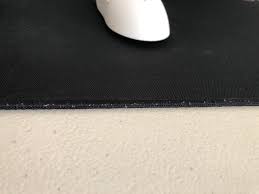
- Fraying Edges
One of the most obvious signs of wear is frayed or curled edges. Over time, the fabric or stitching around the mouse pad can begin to unravel, especially if it doesn't have reinforced or stitched edges. This not only looks unsightly but can also interfere with your mouse movement. If your mouse starts snagging or if the surface no longer feels smooth, it’s time for an upgrade.
- Surface Discoloration or Stains
Mouse pads are prone to absorbing sweat, oil from your skin, and spills. If your pad is visibly stained or discolored, it might be affecting mouse tracking accuracy. Even after cleaning, old stains can leave behind residue that alters the texture and sensitivity of the surface. A discolored mouse pad may not just be a cosmetic issue—it can degrade your performance, especially in precision tasks like gaming or graphic design.
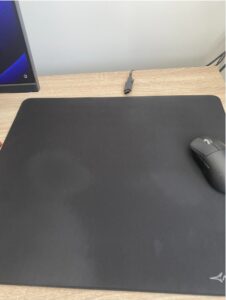
- Loss of Texture or Smoothness
Over time, constant friction from your mouse and wrist can wear down the surface of the pad, making it smoother in some areas and rougher in others. This uneven texture can affect how your mouse responds, leading to inconsistent cursor movement. If you notice that your mouse doesn't glide as smoothly as it used to, or if there's a noticeable difference in feel across the pad, it's likely worn out.
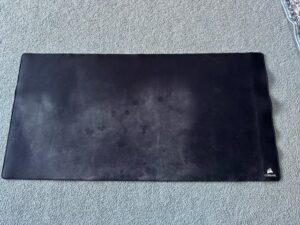
- Unpleasant Odors
Mouse pads absorb more than just dirt—they can also trap odors. If your pad smells musty or unpleasant, even after cleaning, it may be time to toss it. This is especially true for cloth pads, which can harbor bacteria and mold in humid environments. A fresh mouse pad not only performs better but also maintains a cleaner, healthier workspace.

- Decreased Performance
If your mouse starts behaving erratically—jumping, lagging, or losing tracking—it might not be the mouse’s fault. An old or damaged pad can interfere with the optical or laser sensor’s ability to detect movement accurately. Before investing in a new mouse, try replacing your pad and see if performance improves.Final Thoughts
Mouse pads are often overlooked, but they’re essential for an optimal computing experience. If you’ve noticed any of the above signs, it’s probably time to invest in a new one. Fortunately, mouse pads come in a variety of materials, sizes, and features—some even with wrist rests, RGB lighting, or wireless charging capabilities.
Replacing your mouse pad regularly ensures that you maintain precision, comfort, and cleanliness. So take a quick look at your current pad—if it’s frayed, stained, or just not performing like it used to, do yourself a favor and upgrade. Your wrist (and your mouse) will thank you.

