
When we think about productivity in the workplace, we often focus on big-picture elements: time management, software tools, and team communication. But sometimes, it’s the smallest things — like the mouse pad sitting beneath your hand — that can make a surprising difference in how efficiently you work.
Yes, your mouse pad could be sabotaging your productivity without you even realizing it. Here’s how.
1. Poor Ergonomics = Wrist Pain and Fatigue
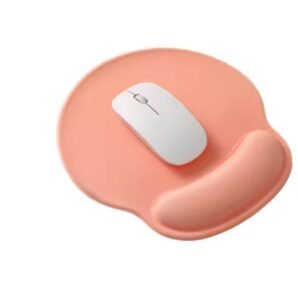
A low-quality or poorly designed mouse pad can lead to wrist strain, discomfort, or even long-term repetitive stress injuries like carpal tunnel syndrome. If your mouse pad doesn’t have a wrist rest or is made from hard, unsupportive material, your wrist may constantly rest on an awkward angle.
Over time, this strain reduces your comfort, slows down your mouse movement, and makes it harder to stay focused.
Solution: Invest in an ergonomic mouse pad with memory foam or gel wrist support. It promotes a neutral wrist position, reduces fatigue, and helps maintain comfort during long work or gaming sessions.
2. Unreliable Surface Interferes with Precision
Not all mouse pads are created equal. Cheaper or worn-out mouse pads may have uneven surfaces or textures that interfere with your mouse’s tracking ability. This causes your cursor to skip, lag, or move unpredictably — especially if you’re using a high-DPI mouse.
For designers, gamers, or anyone doing precision work, this can seriously slow you down and increase frustration.
Solution: Choose a mouse pad with a smooth, high-quality surface optimized for optical or laser sensors. A clean, responsive surface ensures accurate tracking and more efficient movement.
3. Too Small = Too Much Repositioning
A mouse pad that’s too small forces you to pick up and reposition your mouse constantly. This interrupts your workflow, breaks your concentration, and adds unnecessary steps to every task.
Small pads are particularly problematic for professionals who use multiple monitors or for gamers who need wide, sweeping movements.
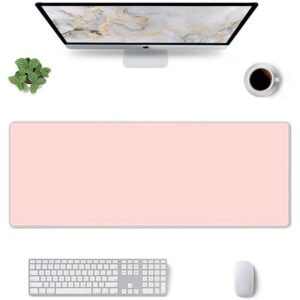
Solution: Upgrade to a larger or extended mouse pad. These give you ample space for movement and can even double as a desk mat, making your whole workspace more comfortable and organized.
4. Cluttered or Distracting Design
Believe it or not, even the design of your mouse pad can impact your focus. Bright, busy graphics or text-heavy designs can be visually distracting — especially in peripheral vision. This can subtly pull your attention away from the task at hand.
Solution: Opt for a clean, minimalist design that aligns with your workspace aesthetics. If you’re using a branded or custom mouse pad, keep the design simple and professional.

5. Dirty or Worn-Out Pad
Over time, mouse pads collect dust, oil, and grime. A dirty surface can cause drag, reduce tracking accuracy, and feel unpleasant to use. A worn-out pad with thinning material or curled edges is just as bad.
Solution: Clean your mouse pad regularly or replace it if it’s showing signs of wear. A fresh, clean surface makes all the difference in comfort and performance.
Final Thoughts
Your mouse pad might seem like a trivial accessory, but it plays a crucial role in your daily workflow. Upgrading to a high-quality, ergonomic, and well-designed mouse pad can minimize discomfort, improve accuracy, and ultimately boost your productivity.
Sometimes, it’s the little things that make the biggest impact.

